Friday, January 23, 2015

Reading the Godmother of Frugality

I got a copy of Amy Dacyczyn's The Complete Tightwad Gazette, and I've been having fun starting to read through it. I got it from the library's interlibrary loan, of course, but it is still in print. This is a compendium of most of the articles from the full run of her newsletter, previously collected in three separate volumes, plus some additional material that postdates the last book. Amy is the godmother of frugality, referred to by just about everyone who currently writes on the topic, and I suspect millions of people have been affected, directly or indirectly, by her work.
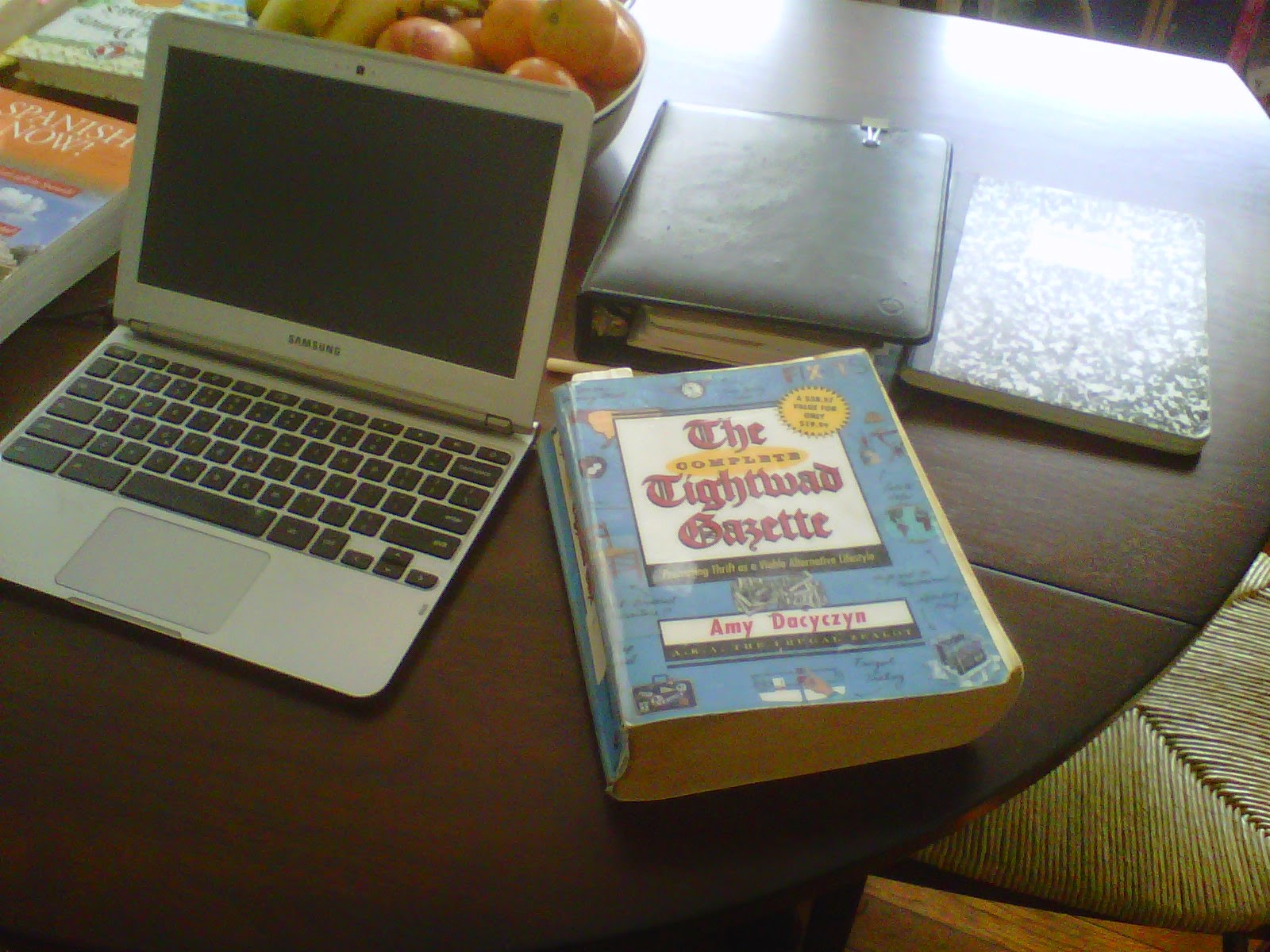
As you can see, it' s a huge book, nearly 1,000 pages! I remember reading one of the smaller books years ago, and thought much of it would be very dated by now. In some respects a lot is, but Amy was always trying to teach general principles, rather than just specific strategies. And that still works.

I found several usable ideas in just the first 40 pages:

  • I've been wanting a way to store my double-pointed knitting needles so that I can quickly find the size I need. No more rummaging! On page 20 I found instructions for a roll-up fabric holder for children's school supplies that I could readily adapt for needles. Perfect! I'd been thinking of buying a similar-type holder... expensive and not adapted to some extra-long needles I have. 
  • A homemade granola recipe appears on page 27. The recipe calls for 1/3 cup vegetable oil. Well, nowadays we know that vegetable oils are not healthy. Used in anything but minimal quantities they are associated with higher cancer incidence and undesirable polyunsaturated fatty acid ratios. Back when Amy wrote this, seed and grain oils were being touted as health foods. Yet another example of "expert opinions" that somehow become totally wrong in a couple of decades, right? But that's another story. Currently, a quick Google search (searchwords: granola recipe without oil) yielded many yummy-looking recipes. I have always liked a warm-weather breakfast of granola, yogurt, and fresh fruit. So I'll try making some homemade granola when the weather warms up. Who knows? Maybe I'll graduate to making my own yogurt, too! Both are quite a bit cheaper and healthier when made in your own kitchen from basic, wholesome  ingredients.
  • Instructions for making envelopes from wasted paper are found on page 38. I do a lot of printing of lesson plans, and always end up putting tons of paper in the recycling bin. This looks super easy, needs just a bit of glue or a glue stick, and will allow me to use at least a little of the paper for something useful. And if I make homemade "art cards," as I'd like to, this would solve the envelope problem.

Amy was (and apparently still is) an unrepentant, in-your-face tightwad. Her philosophy is that for many people, the key to a better life is NOT in making more money, but in using their existing money and other resources more effectively. The main difference between her and me, I think, is that she is proudly, flamboyantly cheap, while I tend to practice what I have come to think of as Stealth Frugality.

I've just found over many years that being "cheap" elicits negative responses from some people. I was perhaps 9 or 10 years old when I suggested to a group of friends that we take the long way over the bridge so we didn't have to pay the ferry fare, and was taunted as a "cheapskate" for months afterward. (Kids can be such little meanies, can't they?) We all lived in a pretty upscale beach town and our families were all comfortable (or better), but while my mother taught the virtues of frugality, conspicuous consumption was clearly being modeled in other homes. Even now, I find that referring to my frugal ways can make some people uncomfortable. So I have come to embrace the concept of Stealth Frugality, in which you live well on a lot less than many others, but use taste and creativity and canniness to make that difference invisible or at least much less apparent.

I like the big ol' Tightwad Gazette book so well, in fact, that... I decided to order a copy. It's only $13.92 in paperback from Amazon.com, but I found it in "very good" condition from one of Amazon's used book sellers, for $10.49. Three dollars is three dollars, and I've had good luck with the used book dealers who sell through Amazon.

Tuesday, December 2, 2014

Why and How You Can Compute "In the Cloud" and Save

I was listening to the radio tech guru Kim Komando this morning. She advertises a cloud computer backup service that you pay about $5.00 a month for. Not bad, but you can have just about everything you do backed up "in the cloud"... for free... with just a tiny bit of effort.

If you read about computers at all, a lot of the talk is about "cloud computing"  and "cloud backup." In the old days of computing (a few years ago), everybody was buying computers with bigger and bigger hard drives. Basic brand-name software, such as Microsoft Office, kept getting more bloated and more expensive. You downloaded all your e-mail to Outlook and kept it on your hard drive.

But "cloud computing" is here, and is a very frugal alternative to all that expensive hardware and software. You store most of your documents - e-mail, photos, letters, journals, music, video - on somebody else's server (such as Microsoft's, Amazon's, or Google's... see below) and use it directly from the internet, You can  download or stream it from the internet when you need it. There's also a growing body of "cloud software" that you use only online. No more buying expensive software packages and installing them on your computer (although a growing trend is to charge you a subscription fee for premium versions of free online software). The nice thing is that with cloud computing, you can get away with using a computer with much less hard memory, and that is far less expensive. My latest computer, a Chromebook, takes care of most of what I do and cost $249, about a thousand dollars less than my previous one.

The cost of cloud computing can indeed be very low. There are a lot of reliable, big-name sources of cloud storage that are free or very cheap. You can use free storage from several of them and never pay a dime. I like to use Evernote for clips from the web, Google for e-mail, pictures, many documents, and MP3 storage. I store some pictures and MP3s on Amazon, too. Microsoft's cloud has Word and Excel documents and various pdf files I download from the web, including a lot of knitting patterns. All this is free. For the sake of sanity, I'd advise using each service for specific types or categories of files, so you never have to hunt around through multiple sites.

Here are brief summaries of the cloud storage services I use:
  • Google Drive charges an astonishing low $1.99 a month for 100 gigabytes (GB) of storage, but you get 15 GB free for using Google Drive (their cloud-based document production and  storage utility), which is shared across picture and e-mail storage and is enough for many people without the need to pay for any more. It helps that documents created in Google Drive, and smaller pictures stored in Google+, don't count towards your storage limit. I have a ton of documents and e-mail and photos stored in Google's cloud, but when I last checked I had less than 8 GB of storage that counted towards my limit. I create all my teaching lesson plans and handouts in Google Docs now, but because I do them within the Docs platform, I'm not charged for storage, even though most contain multiple cut-and-pasted pictures.
  • Microsoft's OneDrive is obviously competing with Google, and now also gives you 15 GB for free, and another 100 GB for $1.99 a month. With that, you get free use of Microsoft's online Office suite, including Outlook.com for e-mail and Onenote. These versions aren't as robust as the insanely complicated Office suites I used until recently... but they do the job and are free. If you're a die-hard Microsoft user, this would be a good option.
  • Amazon's Cloud Drive is gradually becoming a bit more user-friendly, but it doesn't have the associated e-mail and document creation platforms that make both Google and Microsoft storage so handy. Still, Amazon's Cloud Drive does give you 5 GB of free storage, with a pricier 100 GB at $50/year. Photo storage is free and unlimited for Amazon Prime users. Not worth it at the $99/year Prime cost, but if you're already a subscriber you should take advantage.
  • Dropbox was one of the first successful cloud storage apps and has been a favorite for years. It provides 2 GB of free storage, or up to 1,000 GB (1 TB) for $9.99/month. Reliable and intuitive, it's one of the best ways to transfer files from one device to another. Like Amazon's Cloud Drive, you'll need to rely on your own software as Dropbox has no associated e-mail, calendars, or file creation services.
  • Evernote isn't usually thought of as cloud storage, but that is what it does, mostly. I'm an admirer of Evernote, by the way. It provides unlimited free cloud storage for all your documents and other files, but there are some limitations. File size and monthly upload limits exist for users who don't subscribe to the premium service, which is $5.00/month or $45.00/year. Evernote has really robust filing, tagging, and search features, and you can retrieve your files from a large variety of platforms. It even works well on my ancient Blackberry Curve.
  • There are quite a few other cloud storage services, and many offer some limited free use in hopes you'll like them and pay for more. I've checked out a few, including Sugarsync and Box.com, and I know there are a lot more. I guess my preference is to stay with the better-known services, but some of these have been around for quite a while.
You may have some valid concerns re using these services. Privacy is one, and since everything gets hacked these days, I wouldn't store sensitive confidential information in any of these places. Also, be aware that these are all businesses that could go belly-up or change policies at any time. Have a back-up plan in case your service announces it's going away, so you can move stored documents in a hurry. I've also heard of people getting locked out of Google or Microsoft accounts, and thus losing access to their stored documents for a long time while trying to regain access. I try to keep anything truly critical backed up in a second location and usually as a hard copy, too. But with these few precautions, I find using cloud computing to be a great money and worry saver.

Thursday, November 27, 2014

Gratitude

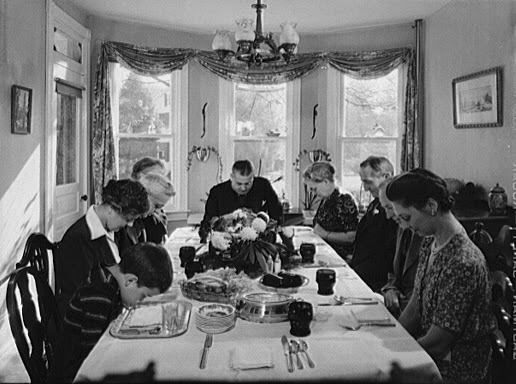
Thanksgiving Grace: 1942
This annual coming-together to think and express what we're thankful for is pretty much a uniquely American phenomenon. As a nation, right from our beginnings we've understood the value of recognizing and expressing gratitude for our blessings.

But the individual and daily exercise of gratitude has become even more important to me as part of the process of creating a good life.

Now, gratitude is the subject of a lot of books and countless articles. In addition to its spiritual and psychological benefits, gratitude is even recommended as part of the "manifestation" process described in The Secret and similar books. As in, if you get it and aren't grateful, the universe will stop being so generous.

At minimum, being grateful does move your focus to the positive. And I think much of how we evaluate the quality of our lives is a function of that focus. It used to be popular to pooh-pooh the supposedly saccharin story in the children's book Pollyanna, by Eleanor H. Porter, but I've found a lot of benefit in that approach. You notice what you're focusing on, and that can really change your perception of how things are. And with a bit of consistent effort, you can change your focus. One way to do that is to consciously practice gratitude on a daily basis. Some people keep gratitude journals as part of that practice. By the way, I'd recommend a re-read of Pollyanna... I read it again a few years ago and thoroughly enjoyed its charming story. And if you're trying to summon up more gratitude, it will definitely reinforce your effort.

Changing your focus to what you're grateful for is also recommended as a key strategy by self-help guru Tony Robbins. He stresses, over and over in his work, that what you focus on is what you get more of.

So perhaps there is some kind of woo-woo magic, per The Secret, in focusing on what you want, in order to manifest it. Or maybe it's just a psychological phenomenon that whether you focus on good things, or undesirable things, your subconscious will "help you" by working behind the scenes to bring you that which you're focusing on. And religious folks, of course, will realize the spiritual discipline of being grateful for whatever is brought into your life.

Today I'm grateful for many things. Among them is the ability to be profoundly grateful for what I have.


Sunday, May 4, 2014

Paperback Book Swap... a Good Deal?

One of my friends is very enthusiastic about Paperback Book Swap. She uses it a lot and is delighted with it. She says she often trades in paperback books and gets recent hardback books in return, which she then donates to our library after reading. One day she brought in a very interesting knitting book that she had gotten through Paperback Book Swap. I resisted for quite a while, mainly because packaging up my swap books and taking them to the post office seemed like kind of a hassle.

Well, I finally decided to try it. I went to the website, Paperbackswap.com, and signed up... it's a pretty good website, signup was easy, and although navigation could be better, it's OK. I entered a number of my books as available, which was really simple using the ISBN numbers. The only time it got a little trickier was when I entered a very old book that wasn't on their list. I had to put in a lot more information for that one.

Next, I checked my wish lists at the library website and Amazon.com, and put in requests for a number of books I've been wanting. Within a short time, I got quite a few requests for my books! I printed the labels with postage from the website, and packaged them in various saved manilla and shipping envelopes I'd saved. You can buy postage from the website, and then use it to print a label with postage already on it. The amount is calculated from the book info. Thus I did not have to go to the post office at all, just trot over a couple blocks to the nearest post box. Easy peasey.

So that was the positive. Every person I requested a book from shipped it promptly. Every book I shipped was pretty easy, and I never had to go to the post office, a hassle since I don't drive and you're supposed to ship within a couple of days.

The negative: it was a little expensive, with shipping averaging around $3.00 or more. And finding envelopes or mailers to ship in, after I'd used up my stash, was problematic. Another expense, if I was to have to buy something from Staples. Sealing securely and pasting on the labels also took time, and that tape isn't free, either. Finally, I ended up with a bunch of credits, but only a couple of the books I'd requested materialized. One reason is that I like nonfiction, and PBS users seem concentrated on fiction.

Bottom line: I'm out, almost. I still have some credits, so I'm patiently waiting to use them up on something I'd like to have. I did finally get a copy of Bowling Alone and the huge biography of Truman. But here's the thing. I can buy most used books on Amazon, and the majority of them end up being $4.00 including shipping. And no hassles at all. I also check the shelves at my library regularly, where I find all kinds of interesting non-fiction (and fiction, too, of course) for 50 cents to a dollar. And again, no hassles. Plus, between the regular library books there, and their newer and expanding e-book collection, it's not like I even have to buy books at all.

So for me, I don't find Paperback Swap to be worth the time and money. For someone in different circumstances, especially someone without a nearby public library, it might be a good thing.


Saturday, October 5, 2013

Rethinking Devices

OK, I'm feeling better now about my overcommitment issues. And I've taken some modest measures to start mitigating them. But now another issue has arisin... electronic devices.

In the last three months, three of my "devices" have died ignoble deaths. First I killed my phone on a rainy afternoon in late August. It was a newish Android phone, a Galaxy Victory, that I thriftily used on Virgin Mobile. I dropped with my slippery wet hands on the hard brick steps of my house, resulting in a well-shattered screen. And we all know that the cost of replacing screens is... well, just not worth it unless your phone is very expensive... which mine was not.

So, a quick phone call to Virgin Mobile and I was back to my old stalwart Blackberry Curve. Their customer service really is quite good... I don't know where in the world the customer service reps were, but their English was excellent, and that's always a relief. I like my Blackberry, and truthfully, it is better than the Galaxy for e-mail, texting and GPS. Which is pretty much what I do with my phone 98% of the time. Thanks to Weather Underground's well-designed mobile site, I can check the weather, too. So I am pretty much over Android. Frankly, the Sprint data network used by Virgin, in my area anyway, is so oversubscribed and congested that I couldn't really do much with the internet anyway. A Youtube video had to be watched before 6:30 am or not at all, for instance.

So, minus one high-tech electronic device, two more failed this week. BOTH of my Kindles went belly-up. First, the old orignal e-ink one locked up, and there is no hard reset with this kind of Kindle except setting it on a shelf and letting the battery run down completely. So, we'll see in a month or two if there is hope there. It's quite old, though, so maybe not.

Then the charger port on my orignal Kindle Fire stopped working. Without ability to charge it, it's pretty much toast. And again, too old (going on 3 years) and not costly enough to warrant repair.

So the question is... which do I replace? I can really do without the e-ink Kindle, although it is handy for reading... lightweight and comfortable to hold. But you know, I really do prefer a regular book. I like the page designs, the attractive formatting, the heft. I especially like being able to quickly leaf through a book, or turn back a few pages to confirm a name or whatever. To stick little post-its on things I want to come back to. It's just not the same with an e-book. I can still get to my e-book collection via my computers, but I've paid for very few books.

Now the Kindle Fire had been a real workhorse lately. I listened to audio books, podcasts, and music while I was working on this humongous knitted afghan project I've got going. And read downloaded e-books, including the free ones borrowed through my library's Overdrive collection. And I read blogs and lots and lots of internet content. Above all, I watched a lot of video content - mostly TV shows on Amazon Prime. So, do I need a new tablet? And if so, another Kindle, or should I switch to an Android or I-Pad? Argh... what to do?

Well, after a few day's thought I'm not sure I'm going to do anything at the moment. I live close to a library, and in fact visit it 3 times a week, so availability of books and audiobook CDs is not an issue... and these are free, of course. Back issues of magazines are available for checkout, also. Books I want to keep on hand, such as cookbooks or the type of nonfiction tomes that take eons to read (although they are very worthwhile) can often be purchased for a pittance, used, on Amazon. Sometimes even for a dollar on my library's sale rack.

I actually prefer listening to downloaded MP3 files of audio books. With the library's CDs, somebody has always scratched them a bit or, annoyingly, left sticky fingerprints on the discs. But I can download Audible.com and Overdrive audiobook files to my little SanDisk MP3 player, and listen to them either via earphones or via a cable to my radio speakers. And I still check out library CDs from time to time, to get the most recent books.

And finally, I discovered that my little, super-lightweight Samsung Chromebook is pretty good for streaming audio and video. Because of the solid state memory (no hard drive) it stays cool, even in the summer. Holding onto a hot laptop while sitting in an armchair, watching an episode of The West Wing, is not pleasant, especially in warm weather. All my Amazon Prime (free) streaming video works well, and I appreciate the good speaker volume, compared to the Kindle. All my music is on Google Play and streams nicely. And the Sketcher Chrome app streams most of the podcasts I was listening to on the Kindle. The only thing that doesn't stream is the Audible.com stuff, and that, as mentioned already, can be put on my MP3 player. And it seems to have a very good battery life.

So... do I even need to replace the tablet? I'm thinking not, at least not at this time. Electronics are pricey, and they seem to have a rather short lifespan. Spending hundreds of dollars every year replacing broken electronics may not be the best use of your money, especially for those of us on limited incomes.

I think maybe the key is to decide what you want to do with your devices, and then determine how you can do all that with a minimum number of electronic items. For example, if you already have an Android phone, you can download a lot of music and audiobooks to it, including the free library Overdrive stuff. Or if you don't want to use your phone's battery when you're listening away from home, you can get a little MP3 player, like I have, and download to that. SanDisk is a reliable brand and has nice players with lots of memory for less than $50.

For streaming video, any old laptop will work well, and if it has a DVD player (my Chromebook does not, but my upstairs laptop does) you can also watch video borrowed on DVDs from your library. Most of us probably don't need a tablet for anything other than portability and convenience. A friend in my knitting group got a nice little Android tablet at a discount place (Big Lots, maybe) for around $50. It works well for her. She loaded the Kindle Android app and a bunch of free e-books, and is very happy with it. She's pretty broke and doesn't have internet or wifi at home, so she takes it to the library every week and loads up on new content while she's there, using the library's free wifi.

I know I certainly don't want to be a Luddite, eschewing all electronics. I know some people my age or older who do that... they don't have a computer, don't want to learn, and can do just fine with things as they have always done them. But most of us want to join the digital revolution... it's educational and fun and offers some amazing frugalities. The key is to do it thoughtfully, so you don't find yourself spending wagonloads of cash on electronics equipment, and then throwing more after it as items quickly break, or get lost or broken.

By the way... I'm typing this on my little Chromebook on my dining room table. I keep it there a lot of the time, but since the big Kindle fail, I've been carrying it over to my armchair in the evening, setting it on the sidetable, and using it to watch a TV show or two, and maybe straming a podcast or radio program while I knit. I also have a stack of books on the other side of the chair, handy for reading. Then, before bed, I carry the Chromebook back over to the table and put it on charge. Working well, and not missing the Kindles all that much.